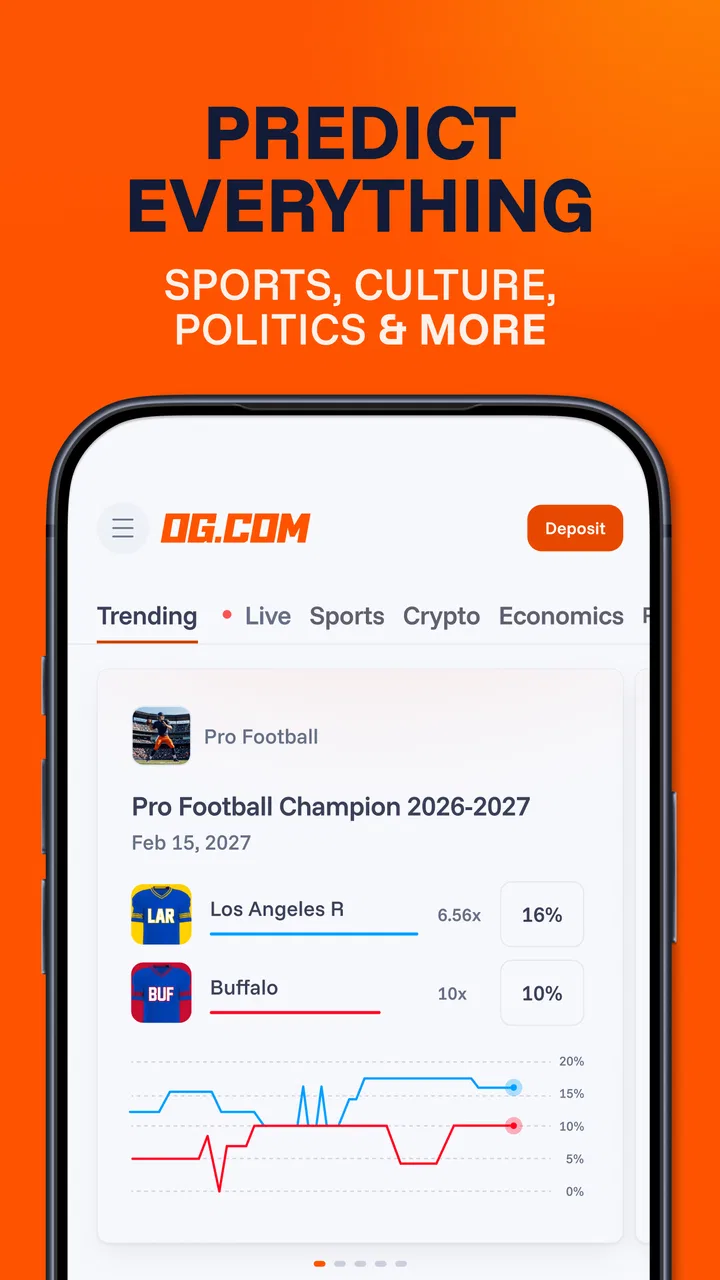
OG: Predict Everything
- 3.8
- Rating
- 100.00K
- Installs
- Free
- Price

 Analysis by App-foxy
I approached OG: Predict the Future as a sports-focused app with an unusual twist: instead of simply checking scores or reading match previews, I could make forecasts around events and treat each prediction as something to think through. Its scope also reaches politics and other event categories, so it is broader than a conventional sports companion. That makes it interesting for a household where different people follow different subjects, although it also means everyone should understand what kind of app it is before using it.
My first impression was that OG is best understood as a prediction and trading-style experience rather than a standard results app. The store summary describes forecasting the future with events, and that framing matters. I would not install it expecting live commentary, a full fixture database, coaching tools, or a replacement for a dedicated sports news service. I would use it when I want to form an opinion about what may happen and see how that opinion fits into a market-like environment.
How OG fits into shared household use
The most natural shared-device scenario is an evening when several people are following different events. One person may care about a football result, another may be interested in a political development, and someone else may simply enjoy testing predictions. OG can give those conversations a common activity: each person can explain why they think an outcome is likely, rather than just arguing from instinct.
You May Also Like

 Pandora - Music & Podcasts
Pandora’s Music Is Easy to Start, but Harder to Recover
Pandora’s strength is its low-effort path from a seed to a station. Its weak spot is how much confidence it asks you to place in connection, setup, and quiet recovery.

 AccuWeather: Weather Radar
AccuWeather Review: A Quick, Clear Forecast for Everyday Decisions
For everyday plans, the best forecast is the one you can understand quickly. AccuWeather makes rain timing, radar, and local conditions easy to act on, with a few trade-offs.

 Hill Climb Racing
Why Hill Climb Racing Still Turns Crashes Into One More Run
A tiny car, a bumpy hill and one more upgrade: Hill Climb Racing keeps resurfacing because its simple chaos makes every near-miss feel personal.

 AliExpress - Shopping App
AliExpress Makes Global Shopping Feel Personal, but Shoppers Bear the Risk
AliExpress turns a global marketplace into a pocket-sized discovery engine. Its reach is useful, its shopping loop compelling, and its trade-offs easy to miss.

 Lords Mobile: Kingdom Wars
Lords Mobile Is a Kingdom-Building Routine, Not a Quick Match
A case-by-case verdict on the building, battles, device demands, and social commitments that make Lords Mobile rewarding for some players and exhausting for others.

 PDF Scanner app - TapScanner
TapScanner Makes Paperwork Easier to Capture, Check, and Share
TapScanner makes scanning with a phone feel less like a rescue operation and more like a dependable step in getting work done. Its capture tools are useful, though not flawless.
More From Our News Desk
View All News


That said, I would treat a shared phone or tablet as a conversation tool, not as a communal account. Prediction activity is personal by nature. If several people use the same signed-in profile, their choices can become mixed together, making it difficult to tell who made a forecast or why. I would keep the app associated with one clearly identified user and avoid passing the device around while an account is open.
This boundary is especially useful when a household has children or teenagers. The app carries an Everyone content rating, but that does not automatically make every prediction-related conversation suitable for every age or imply that a younger user understands the consequences of any activity inside the app. I would explain the difference between guessing an outcome, following an event, and making a decision that may have account or value implications.
For adults sharing a device, the practical routine is simple: finish one person’s session, review what is on screen, and sign out or hand the device over only when the account boundary is clear. I would not rely on a shared browser history or a single unlocked screen to separate household activity. That is less about OG specifically and more about keeping personal predictions from being mistaken for someone else’s.
What I would check before handing over the device
Before another family member uses the app, I would look at the active profile, the event currently open, and any pending action. This prevents the most common shared-device mistake: someone taps through a screen assuming they are only browsing, while the previous user intended to make a forecast. A short verbal check—“Are you still using your account?”—is surprisingly valuable when the same phone moves between people.
I would also avoid presenting OG as a game that children can casually play without explanation. The sports angle may feel familiar, but the prediction-and-trading language gives it a more serious tone than a score quiz or fantasy league. A parent can use it as a way to discuss uncertainty and evidence, but I would keep the account under adult supervision whenever the household is unsure how the activity works.
Setting up sensible boundaries
OG is free to install, which lowers the barrier to trying it. The developer is OG Markets Limited, and the app is currently at version 1.0.6. Those details tell me that the product is still relatively early in its public life, so I would approach it with the expectations I have for a developing service rather than assuming it has the depth and polish of a long-established sports platform.
The first boundary I would set is topical. If I open the app for sports, I would decide whether I want to explore politics and other events as well or keep my use focused. A wider event range can make the experience more engaging, but it can also pull attention away from the subject I actually understand. My advice is to begin with events where you can explain your reasoning from information you already follow.
The second boundary is emotional. Forecasting can make an ordinary match or headline feel more personal because you have committed to an expectation. I find that useful when it encourages careful thinking, but unhelpful when it turns every result into a judgment about whether I was clever or foolish. I would set a limit on how much time I spend checking an event and avoid making repeated decisions simply because the result has not gone my way.
A third boundary concerns household money and permissions. Because the app uses trading language, I would read each screen carefully and make sure the account holder understands what an action means before confirming it. I would not let a child experiment on an adult’s account, and I would not assume that “free” describes every possible in-app activity. Free installation is not the same thing as unrestricted use without consequences.
This is also where OG differs from familiar alternatives. A sports scores app mainly reports what has happened. A news app presents information and analysis. A fantasy sports service usually asks users to manage a team or roster. OG instead puts the emphasis on anticipating an outcome. That can be more interactive, but it demands more attention from the user because the meaning of a tap may be more important than simply opening an article or checking a score.
A practical first-session workflow
On a first visit, I would not jump between every available subject. I would choose one event, read the wording closely, and identify exactly what outcome is being forecast. Then I would ask myself what evidence supports the prediction and what could make it wrong. This small pause is a better introduction than treating the app like a rapid-fire guessing game.
For a shared household, I would have each person explain a forecast before making it. That turns OG into a useful discussion prompt: one user might focus on recent form in sports, while another might consider timing, public information, or changing circumstances in a political event. The point is not to prove who is smartest. It is to make the reasoning visible and keep the experience from becoming an impulsive sequence of taps.
I would also keep a personal note of why I made an important prediction. That is not a built-in feature claim; it is a user habit that makes the app more valuable. Looking back at the original reasoning helps separate a sound process from a lucky result. Without that discipline, a correct forecast can create false confidence, while a wrong one can feel more damaging than it deserves.
Coordinating different interests without mixing accounts
OG’s broad subject range is helpful in a mixed household because it can serve sports fans and people who follow current affairs in the same place. The trade-off is that the app may encourage users to move quickly from one type of event to another. I would coordinate use by agreeing on separate interests rather than letting everyone browse randomly on one profile.
For example, one adult could use the app for sports events while another explores political forecasts on their own account. They can still compare reasoning at dinner, but each person retains a clear record of their activity. This is a better arrangement than creating a single household identity, especially when the app’s central appeal depends on personal judgment.
On a shared tablet, I would establish a simple handoff routine. The current user should finish reading the event details, leave the app in a neutral place, and make it obvious whose session is active. If the device supports separate user profiles, those are preferable for household separation, but I would not assume OG itself provides family profiles, child accounts, or special coordination tools. The safest approach is to use the device’s existing account boundaries and ordinary supervision.
Coordination also means agreeing on what counts as conversation and what counts as private activity. A teenager might want to discuss a sports forecast with a parent, while an adult may not want every personal choice displayed to everyone who borrows the phone. I would ask before opening another person’s session, even if the device belongs to the household. Shared hardware does not make every account action communal.
Why the event wording deserves attention
One of the less obvious skills OG asks for is careful reading. A forecast can sound straightforward while depending on a particular interpretation of the event, timing, or outcome. I would never rely only on a headline or a familiar team name. I would read the complete event description and confirm what I am actually predicting before taking action.
This matters even more when several people coordinate around the same event. Two household members may believe they are discussing the same question while actually referring to different outcomes or timeframes. Saying the prediction aloud and checking the wording together can prevent needless disagreements later.
It is also a reason I would not compare OG directly with a simple sports scoreboard. A scoreboard rewards quick access to confirmed information. OG rewards—or at least encourages—interpretation before the result is known. If I only want the final score, a conventional sports app is faster and clearer. If I want to examine uncertainty, OG offers a more active experience, provided I am willing to read carefully.
Age, trust, and responsible use
The Everyone rating makes OG broadly accessible from a content-classification perspective, but age suitability in a household still depends on understanding. A younger user may see sports predictions as harmless play, while an adult recognizes that trading-style language can involve more serious choices. I would explain the app in plain terms and avoid giving unsupervised access to an adult account.
Trust is important because the app crosses several sensitive areas: sports, politics, and future events. Those subjects can already create strong opinions inside a family. Adding personal forecasts may intensify disagreements, especially when someone treats a prediction as proof of expertise. I would keep the tone light, encourage people to say “I think” rather than “I know,” and make room for changing one’s mind when new information appears.
I would also be cautious about using OG as a teaching tool without an adult present. It can help demonstrate probability, bias, and the difference between evidence and confidence, but the lesson works only if someone actively frames the experience. Otherwise, a child may learn the wrong message: that a confident guess is automatically a good decision, or that being correct once means the method was reliable.
For adults, the same principle applies. I would decide in advance how much attention and personal risk I am comfortable giving the app, then stop when I reach that boundary. The app’s free price makes experimentation easy, but convenience can encourage casual use. I prefer treating each forecast as a deliberate choice rather than something to repeat whenever I am bored.
Privacy and account trust also affect whether I would recommend shared use. I would keep login details private, avoid saving access on a device used by guests, and make sure every household member knows which account is open. These are ordinary precautions, but they matter more when an app combines personal activity with predictions about public events.
Who will appreciate it, and who should skip it
I think OG suits adults who enjoy sports, current affairs, and structured speculation. It is particularly appealing to someone who has grown tired of passive scrolling and wants to make a reasoned call before an event unfolds. A sports fan can use it to challenge their own assumptions, while a politically engaged user may appreciate having a focused place to think about possible outcomes.
I would recommend skipping it if your main goal is fast scores, detailed statistics, live commentary, or straightforward news. OG is not the obvious choice for someone who wants an objective information feed without an interactive prediction layer. I would also skip it for a child who cannot yet distinguish entertainment from a decision with consequences, unless a responsible adult is actively involved.
It may also be a poor fit for people who find uncertain outcomes stressful. The app’s appeal comes from not knowing what will happen. If that uncertainty makes you check constantly, chase a disappointing result, or argue with family members, a normal sports news app will probably be healthier and more useful.
My household verdict after using the app
OG: Predict the Future has a clear identity. It is a free sports-category app from OG Markets Limited that turns future events into something users can forecast and trade in a market-like setting, with politics and other subjects included. Its average rating is 4.0 from around 37 ratings, and it has passed 10K+ installs, which suggests an early but real audience rather than the reach of a mainstream sports utility.
I like the way it can turn a match or headline into a reasoned conversation. The strongest household use is not passing one account around; it is keeping accounts separate while comparing ideas out loud. That arrangement preserves personal boundaries and makes the app more interesting because each person can explain a different approach to the same event.
My main reservation is the need for adult judgment around shared devices and younger users. The Everyone rating is reassuring for general accessibility, but it should not replace a conversation about account ownership, the meaning of trading language, or the difference between a playful prediction and a consequential action. I would introduce it gradually, read event wording carefully, and keep the first sessions focused on understanding rather than speed.
At its best, OG gives me a structured way to test assumptions. Its less comfortable side is that the same structure can encourage impulsive checking or overconfidence if I stop paying attention to my habits. That trade-off is central to the app, not a minor detail.
My recommendation is therefore specific: try it if you enjoy forming opinions about sports and public events, and use it as an individual account with clear household boundaries. Choose a traditional scoreboard or news app if you only need confirmed information. For families, the safest and most useful approach is shared discussion with separate account responsibility. Used that way, OG feels like a thoughtful forecasting companion rather than something that should casually circulate between everyone on the same device.
FAQs for OG: Predict Everything
01What is OG: Predict the Future and how does it work?
OG: Predict the Future is an innovative app that allows users to make predictions about various future events, from sports outcomes to weather changes. Using AI and user-generated data, it provides a platform for users to test their predictive skills. The app aggregates predictions and offers insights based on collective user input.
02Is OG: Predict the Future free to use?
Yes, OG: Predict the Future is free to download and use. However, it may offer in-app purchases or subscriptions for additional features, such as enhanced analytics or ad-free experiences. Always check the in-app purchase details before proceeding to ensure you understand any potential costs.
03What devices are compatible with OG: Predict the Future?
OG: Predict the Future is available for both Android and iOS devices. It requires Android version 5.0 and up or iOS 11.0 or later. Ensure your device meets these requirements for optimal performance and access to all features the app offers.
04How does OG: Predict the Future ensure the accuracy of predictions?
The app uses a combination of AI algorithms and user-generated data to provide insights. While it aims to offer accurate predictions, it's important to remember that no prediction tool can be 100% accurate. Users should use the app as a fun way to engage with future events rather than relying solely on its predictions.
05Is my data safe with OG: Predict the Future?
OG: Predict the Future prioritizes user privacy and data security. The app adheres to strict privacy policies and uses encryption to protect user data. Always review the app's privacy policy to understand how your data is collected and used, ensuring your information remains secure.
Pros
- Intuitive user interface for easy navigation.
- Engaging graphics enhance user experience.
- Regular updates with new features.
- Comprehensive tutorial for beginners.
- Offers personalized predictions based on data.
Cons
- Contains in-app purchases for full features.
- Requires internet connection to function.
- Limited free content before subscription.
- Notifications can be frequent and distracting.
- Some predictions may seem generic.

OG: Predict Everything
Gallery